OBS Studio plugin

Chapter Marker Manager

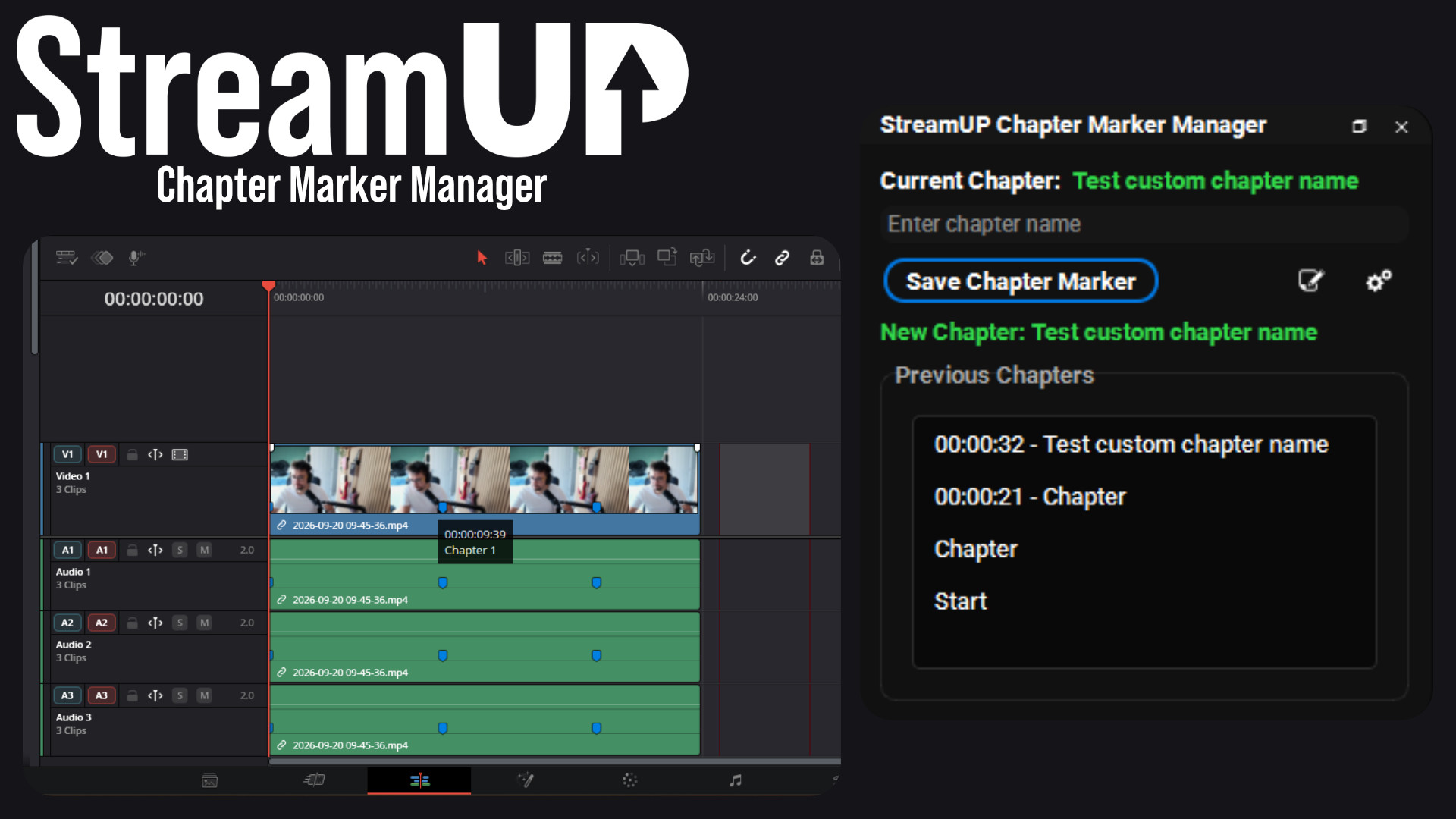
Mark the good bits while you record, and find them waiting on your editing timeline.
  • By Andi v1.3.1 Free
  • Windows macOS Linux
  • OBS 31.1+
Mark it in OBS while you stream, and it is already on the timeline when you open the edit.

Never scrub through a three hour recording looking for that one bit again.

Mark the good bits while you are recording. Press a key when something happens, keep streaming, and when you open the recording in your editor the markers are already on the timeline.

Everything it does

Key features

  • Four ways to mark a moment: the panel, a hotkey, a hotkey with a name already attached, or automatically every time you change scene
  • Skip the scenes you do not want marked, so nothing fires on your break screen
  • Names itself as you go, Chapter 1, Chapter 2, and so on, with nothing to type
  • Writes the markers out for Premiere, Final Cut, DaVinci Resolve and plain text, saved next to the recording
  • Resolve gets them colour coded by how they were made, so the ones you pressed stand out from the automatic ones
  • Can write chapters into the video file itself, so they show up as chapters in a player
  • A second panel for longer notes, timestamped and saved with everything else
  • Streamer.Bot and anything else on the WebSocket can drop a marker too, or react when one is set
Yours to configure

Every knob, where you expect it

Pick your export formats once and every recording writes them. Set the default chapter name, decide whether scene changes should mark themselves, and choose which scenes to leave alone.
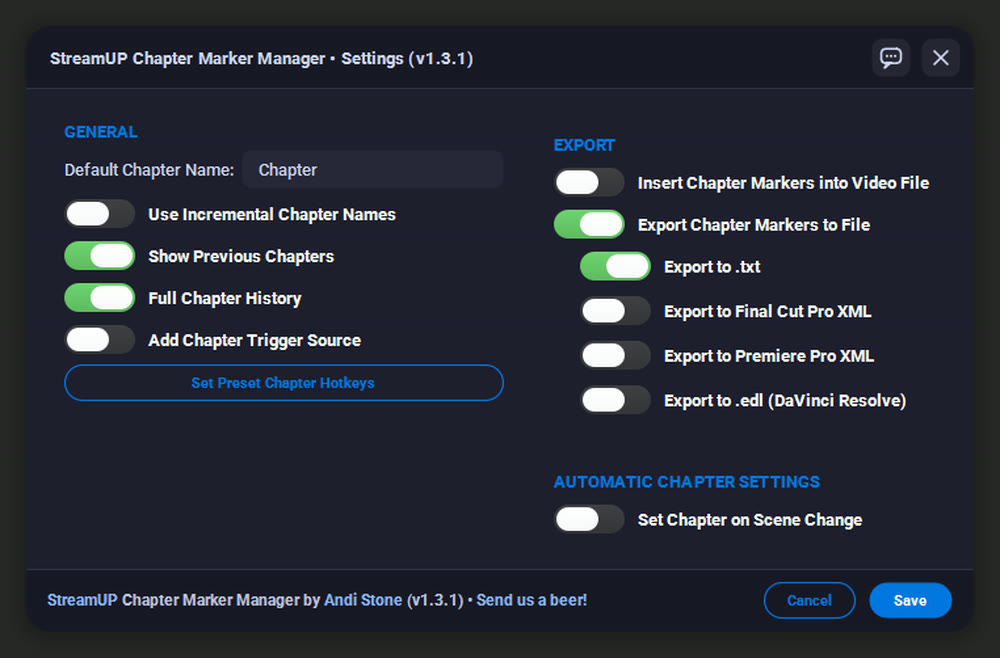
Choose your export formats once and every recording writes them.

Press one key, keep going

The moment worth clipping never happens when you have a spare hand. A hotkey is the whole interaction: something good happens, you press it, and you carry on.

Give a hotkey its own name and it marks that kind of moment every time, so a whole stream of highlights is already sorted before you open the editor.
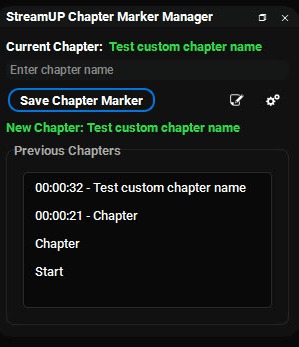
The panel: the chapter you are in, and everything marked so far.

Already on the timeline

When the recording stops, the markers are written out beside it in the format your editor reads. Open the file and they are on the timeline, named, in the right place.

That is the difference between editing a three hour recording and editing the six minutes of it worth keeping.

Longer notes, same file

Some things need more than a name. The annotation panel takes a proper note, timestamped the same way, saved into the same export.

Good for a line you want to quote later, or a reminder about what to cut.
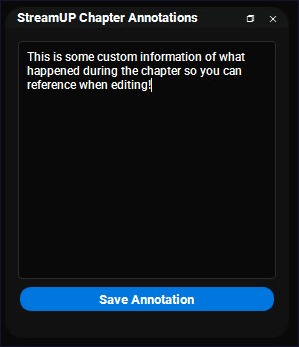
The annotation panel, for the notes that need more than a name.
History

Patch notes

v1.3.1
  • Fixed chapter markers being silently dropped from hybrid MP4 recordings on macOS
  • Final Cut Pro export is proper FCPXML 1.13 now. The old format died with Final Cut Pro 7 and no current version could read it
  • Fixed marker timing drifting on fractional frame rates like 29.97
  • Dialogs resize, follow your OBS theme and scale with your system text size
  • New in-app Feedback button, for bugs and ideas straight from the plugin
v1.3.0
  • Switches instead of tick boxes, and a two column settings layout
  • Dialogs no longer block the rest of OBS while they are open
v1.2.1
  • Fixed Final Cut XML coming out invalid, so nothing could parse it
  • Fixed EDL timecodes being an hour out in DaVinci Resolve, and the drop frame flag on 29.97 and 59.94
  • Fixed the Start marker not making it into the MP4, and the End marker only reaching the text export
  • Fixed special characters in a chapter name breaking the XML exports
v1.2.0
  • Final Cut Pro XML and Premiere Pro XML export, with NTSC handling and marker metadata
  • EDL export, for DaVinci Resolve
  • Chapter history sidebar
  • Fixed recording timestamp drift, and export files now close cleanly when a recording stops
v1.1.0
  • Optional incremental chapter naming
  • Aitum Vertical chapter marker integration
  • Fixed duplicated hotkeys when changing scene collections
v1.0.2

obs-websocket events for chapter markers

v1.0.1
  • Export files are no longer created when their toggles are off
v1.0.0
  • Chapter markers during a recording, chapter list export, and annotations in a dock of their own

Ready to try it?

It installs into OBS and runs there. Nothing to sign into, nothing to keep open alongside it. Questions, ideas or something not working? We are in the Discord.

More for OBS

The rest of the family

Everything else we build for OBS Studio. Each one its own download, with its own page.

DISCLAIMER

By downloading this product you agree to not redistribute AND/OR sell it for any profit whatsoever. Feel free to completely edit this product and change it for your needs. We do not offer support on any modifications.

Last updated: 20 September 2026