OBS Studio plugin

StreamUP OBS Theme

A full redesign of the OBS interface: panels, docks, toolbars and dialogs.
  • By Andi v0.1.3
  • Windows
  • OBS 32+
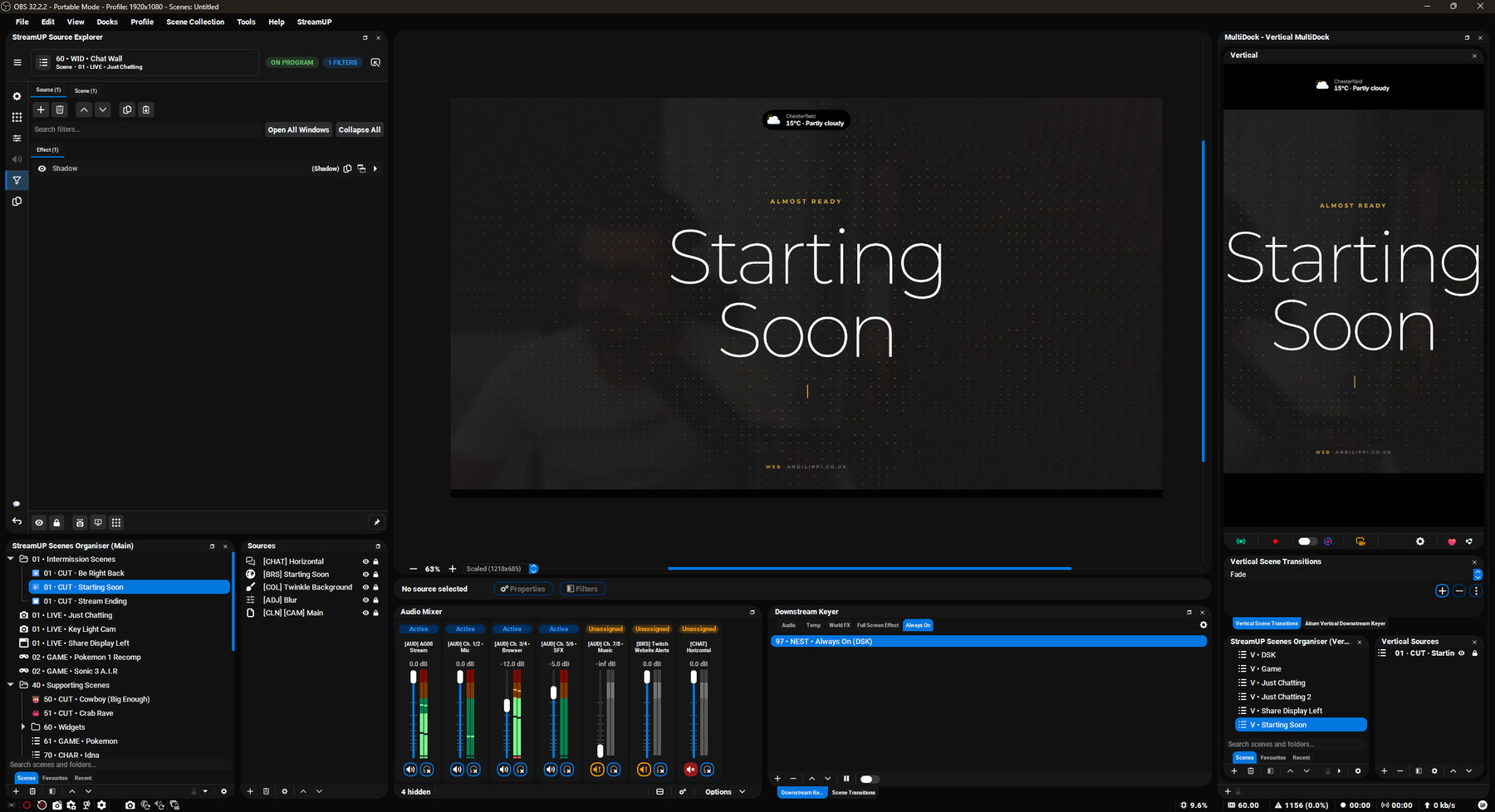
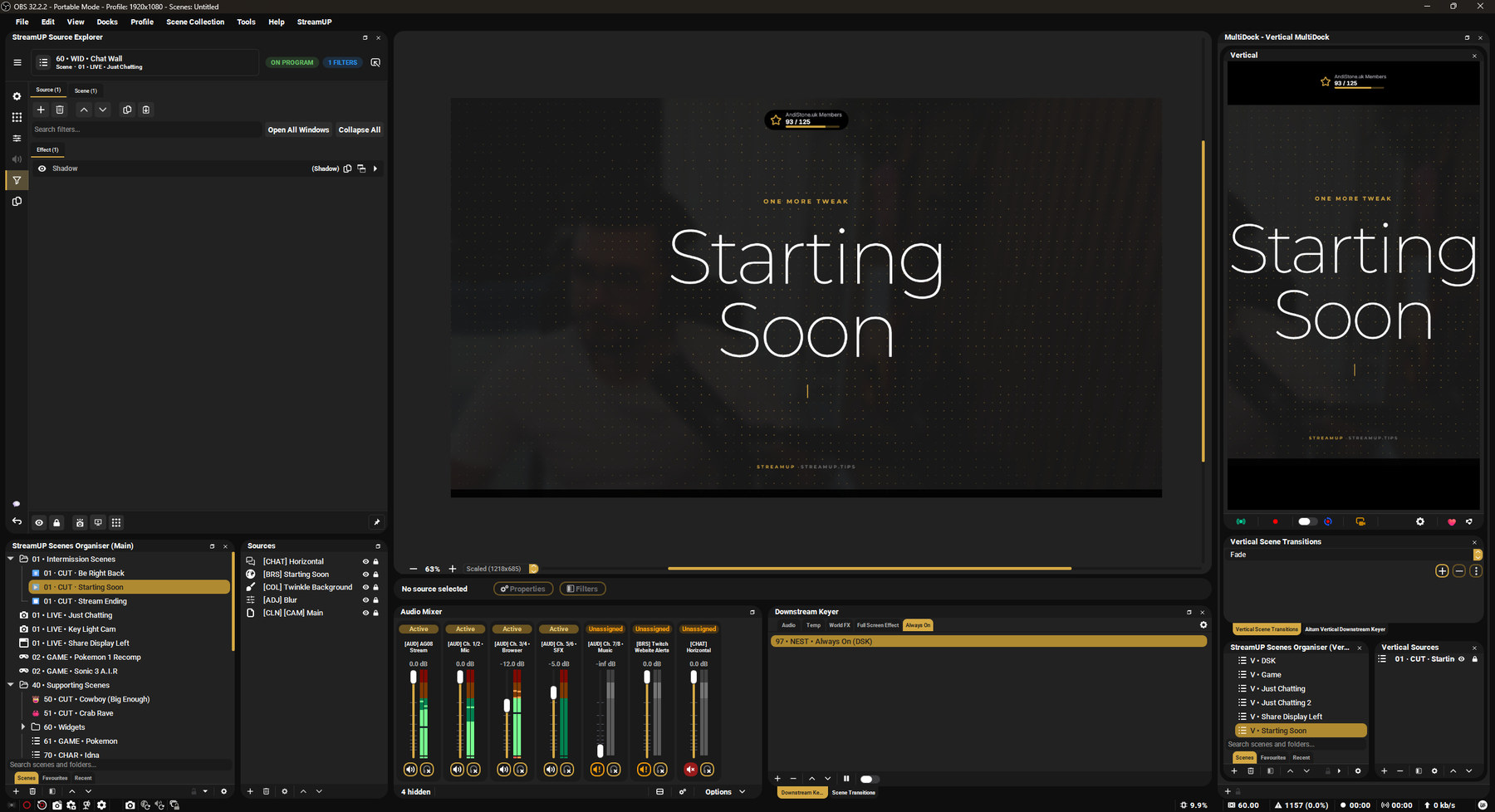
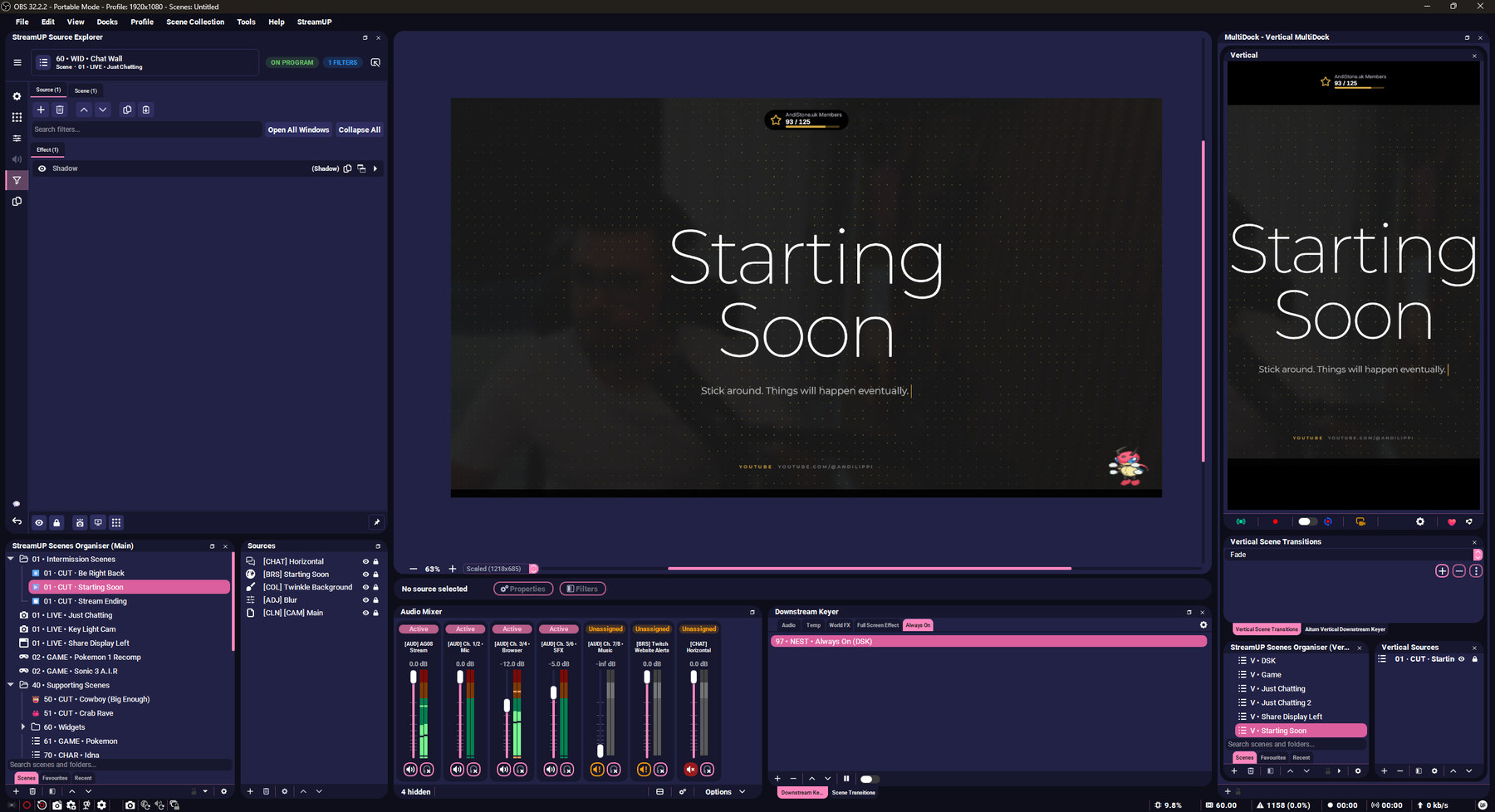
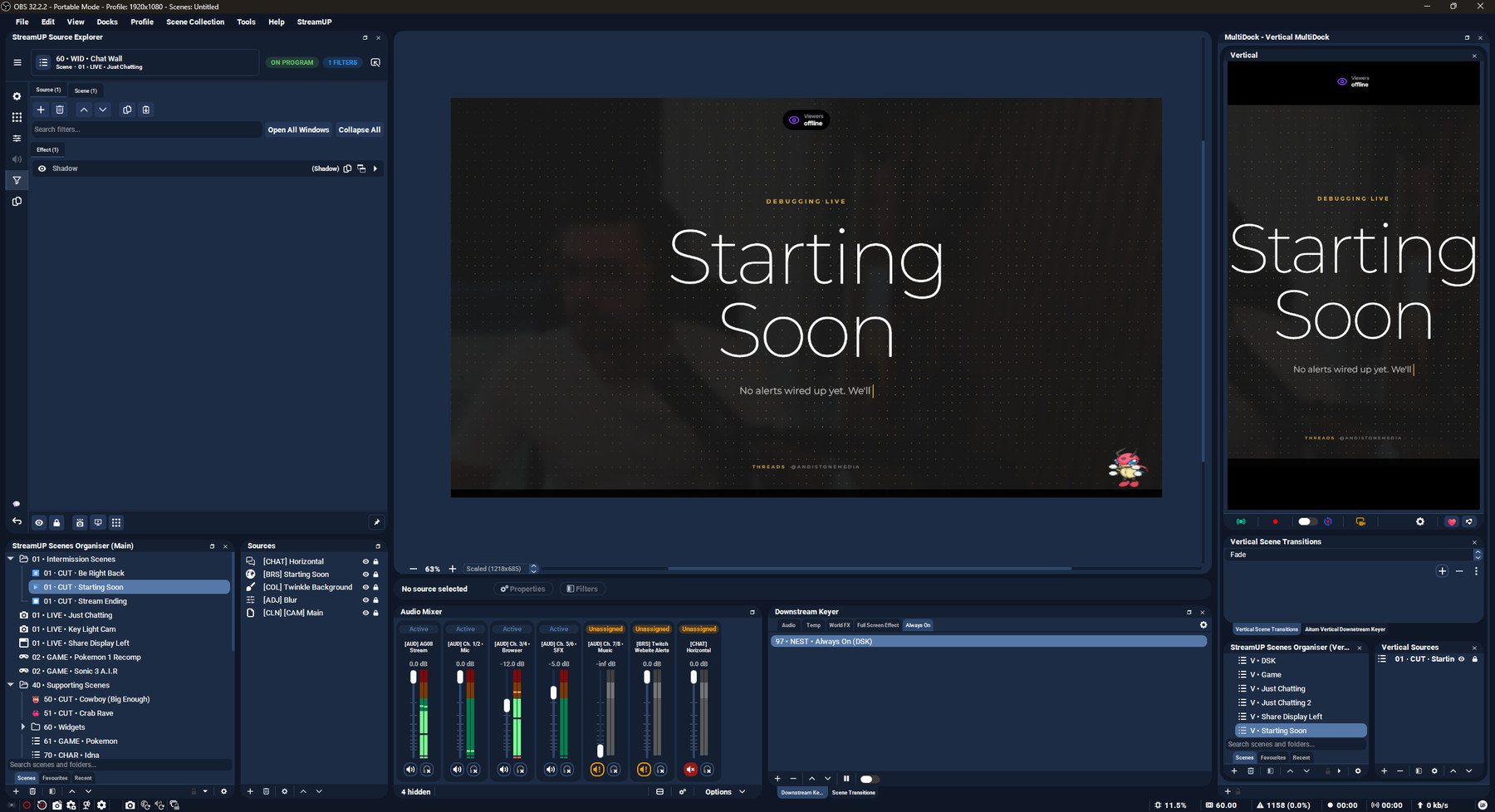
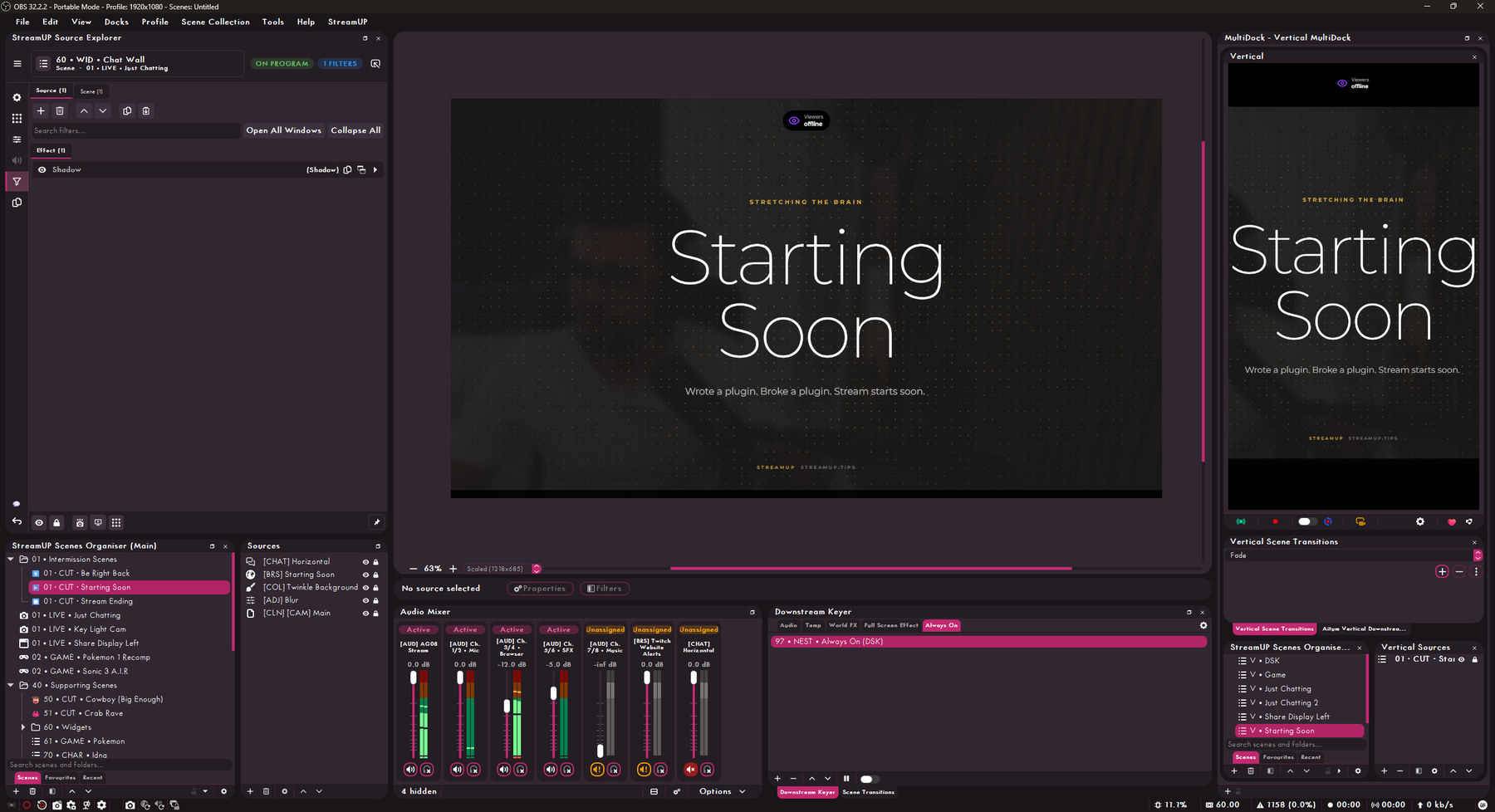
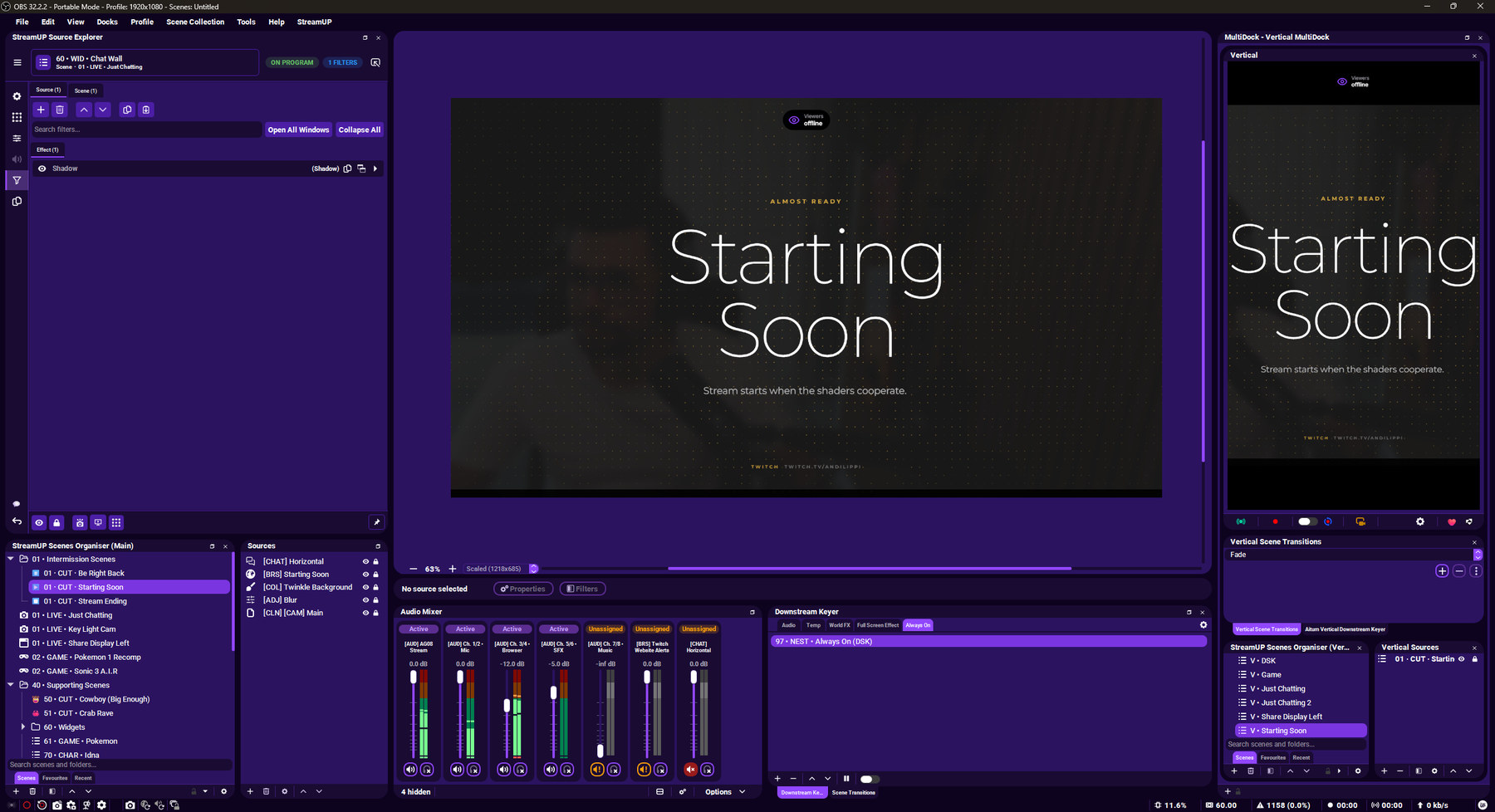
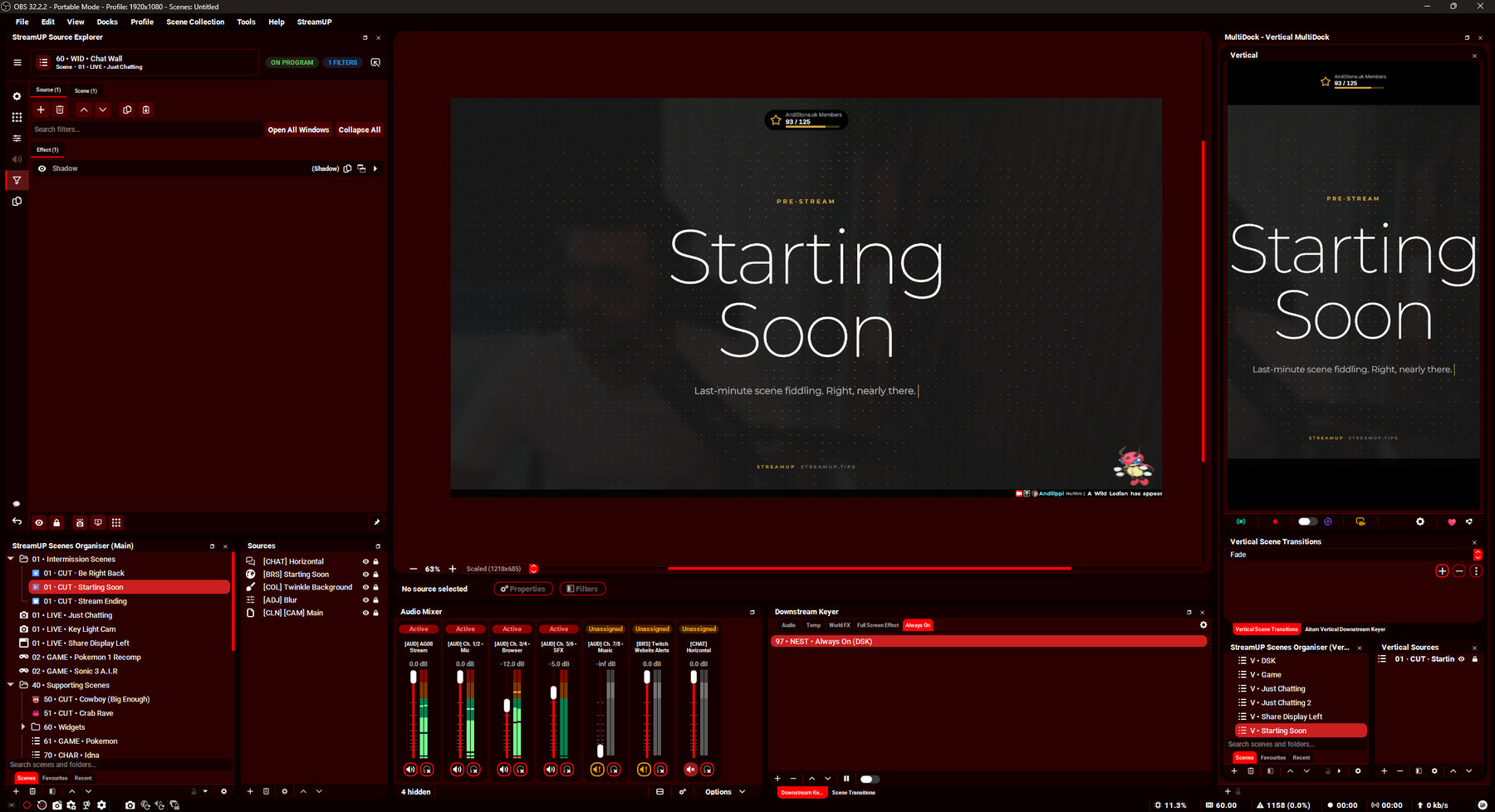
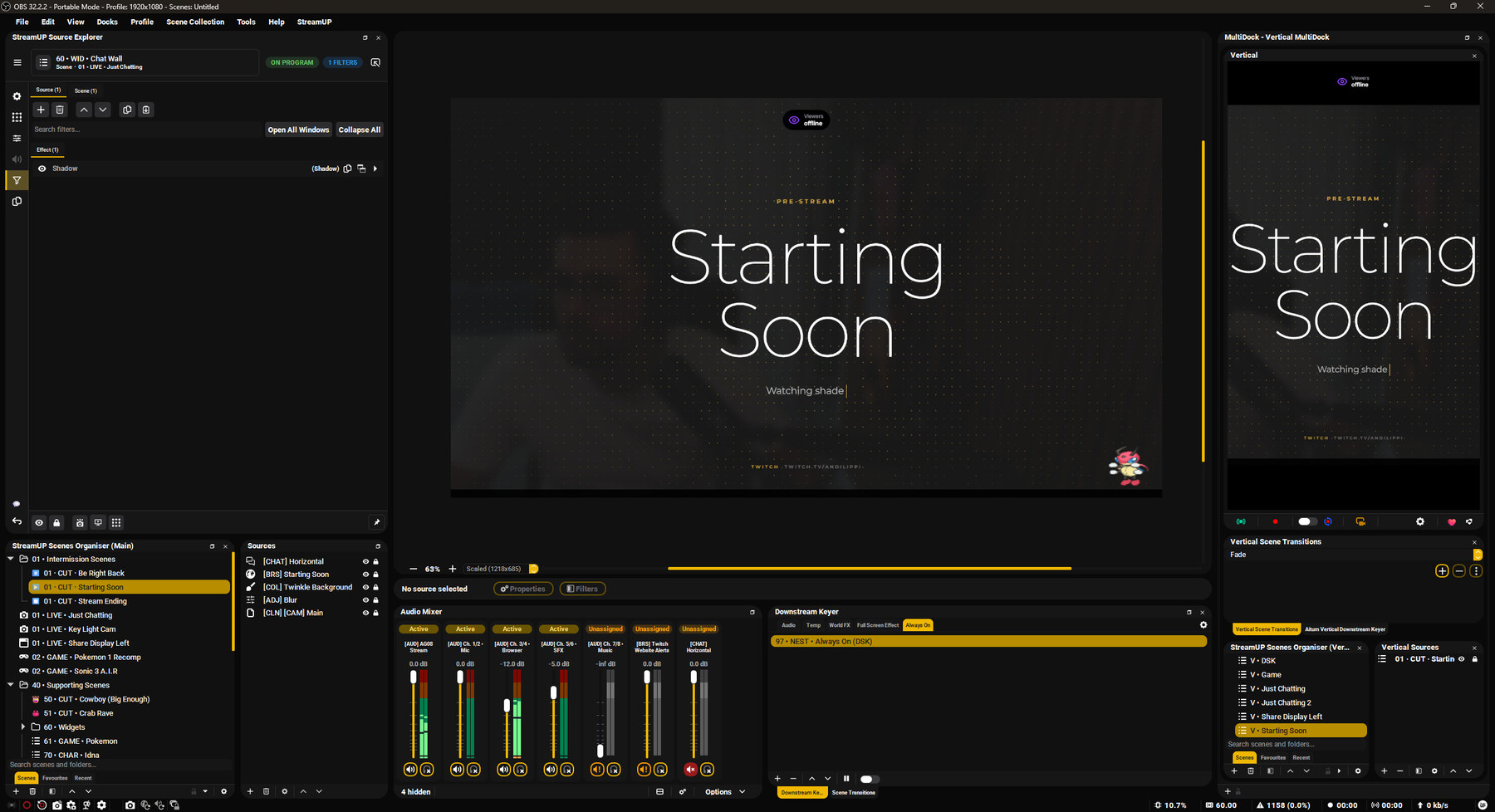
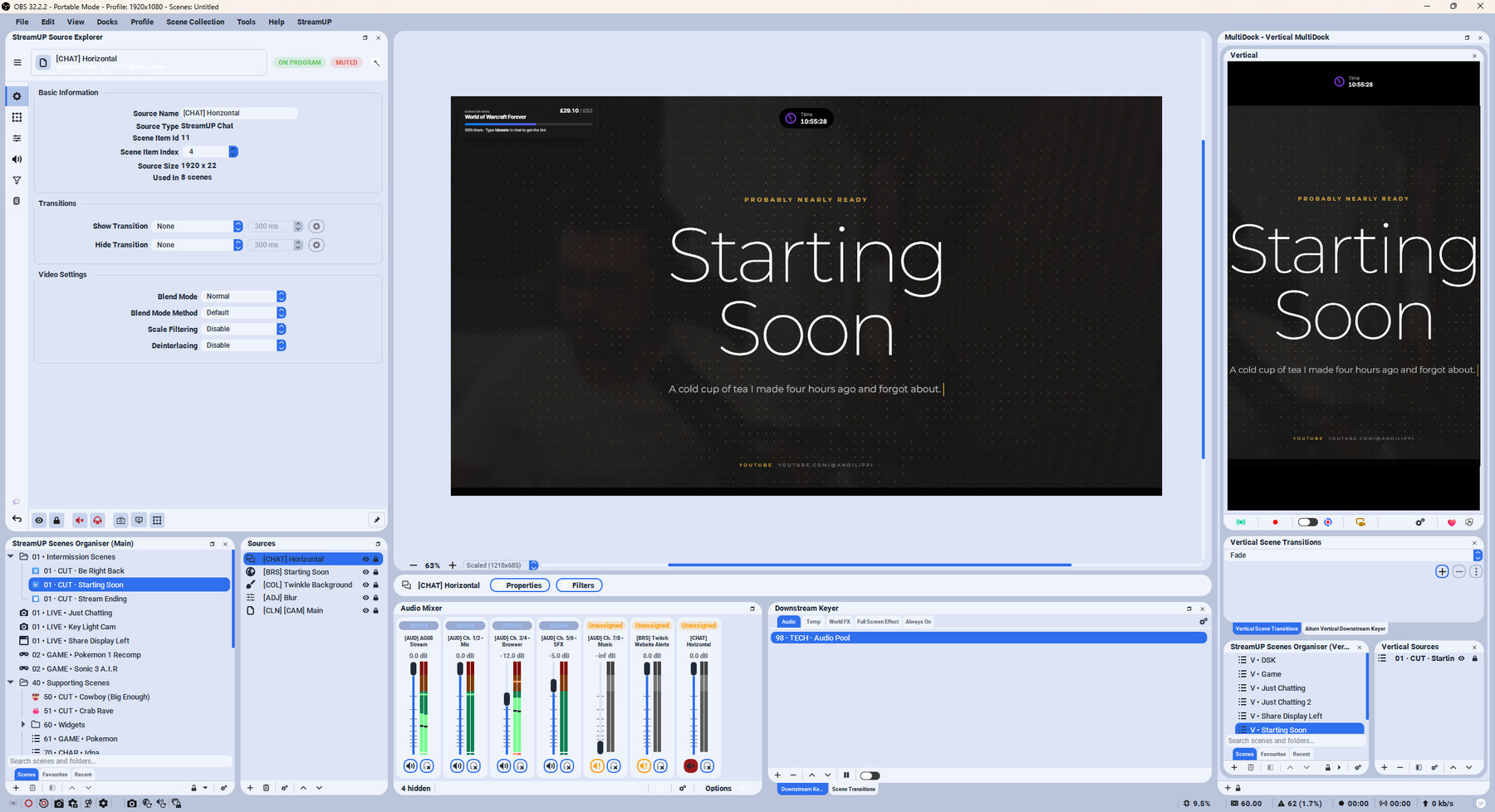
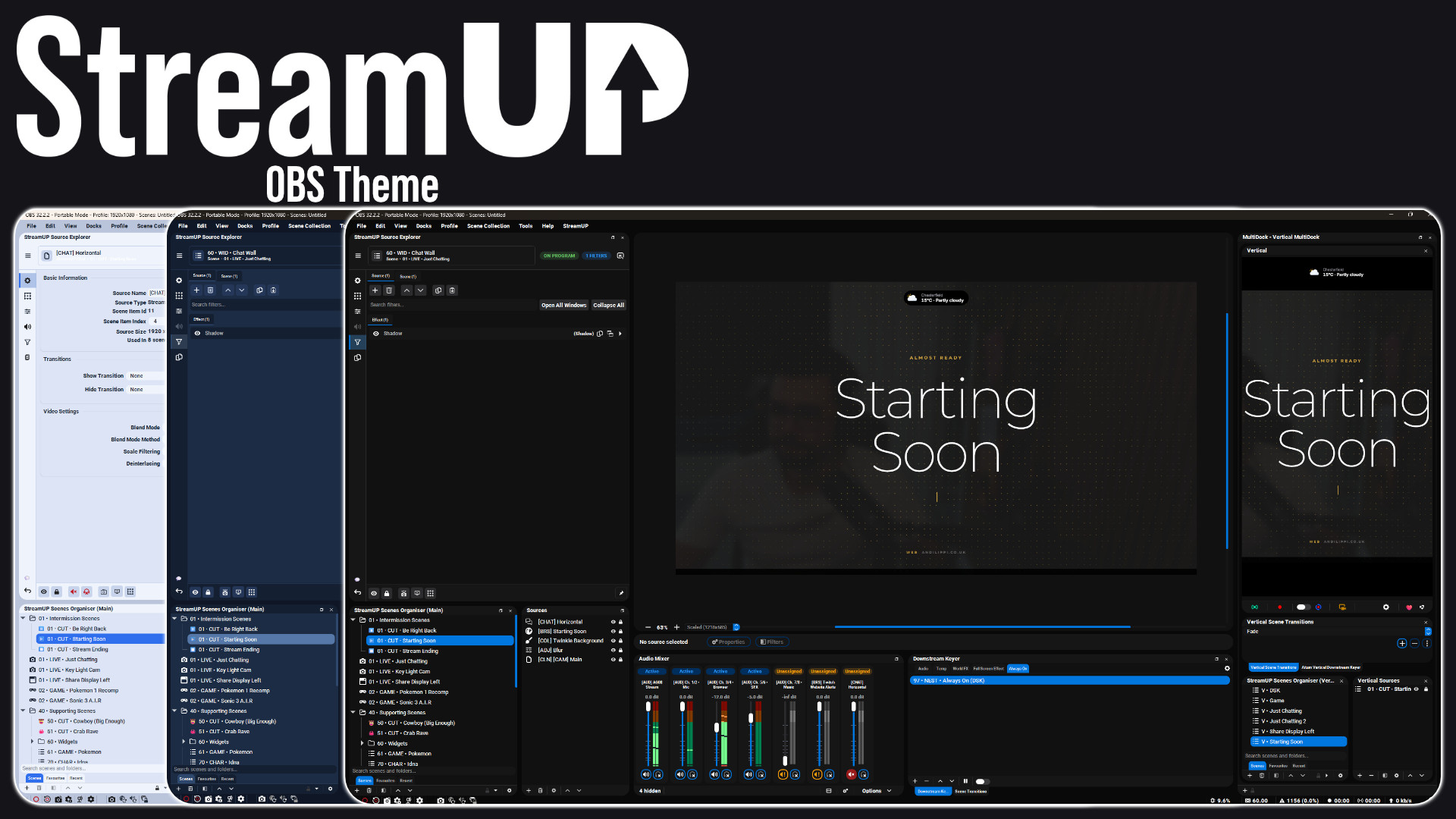
One OBS, three of the nine looks that ship with the theme.

Give OBS a look you actually want to sit in front of. Nine themes, one install, and every dock, dialog and slider redrawn to match.

It is a theme, not a plugin, so it costs you nothing at runtime. Pick one in OBS settings and the whole interface changes.

Everything it does

Key features

  • Nine complete looks, from near black to a proper light mode
  • Every OBS panel, toolbar, dialog and dock redrawn, not just recoloured
  • Audio mixer rebuilt: squircle buttons, clearer meters, vertical layout support
  • Mute and monitor states you can read at a glance from across the room
  • Icons that take the colour of the theme, so nothing looks bolted on
  • Studio Mode, the stats window and Advanced Audio Properties all styled to match
  • Built around the StreamUP docks, so Source Explorer and Scenes Organiser fit in
  • Size and spacing adjustable in OBS settings
  • Works alongside every StreamUP plugin, and with OBS on its own

The audio mixer, rebuilt

The mixer is the dock you glance at most, so it got the most work. Squircle buttons with room around them, meters you can read at a glance, and a toolbar that matches every other dock.

Mute is a darker red with a white icon and monitoring is a softer green, so you can tell what a channel is doing without leaning in. It handles the vertical layout too.
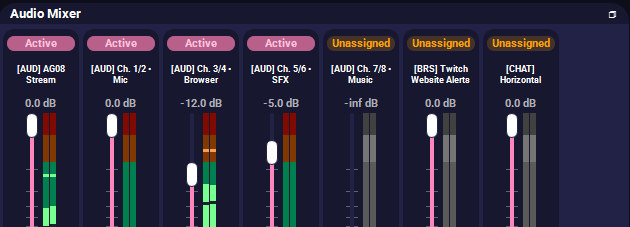
Mute, monitor and level, readable in one look.
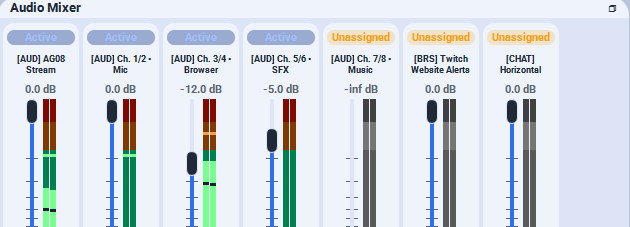
The same mixer in The Light One.

Docks that finally match

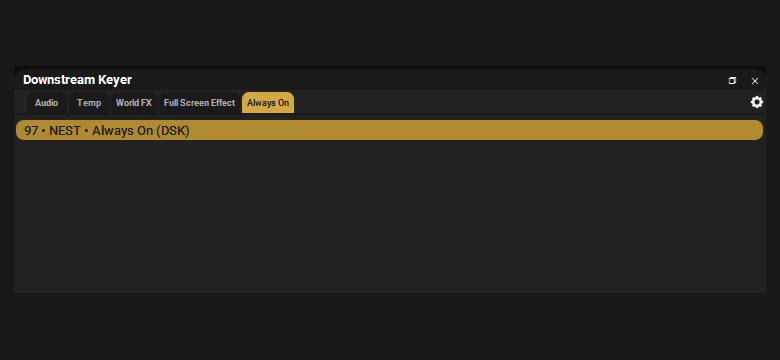
Every dock gets the same treatment: the same spacing, the same toolbar, the same selection colour. Scenes, sources, transitions, the downstream keyer, the stats window, Studio Mode and Advanced Audio Properties.

Icons take their colour from the theme rather than shipping as fixed images, so nothing looks like it came from a different program.
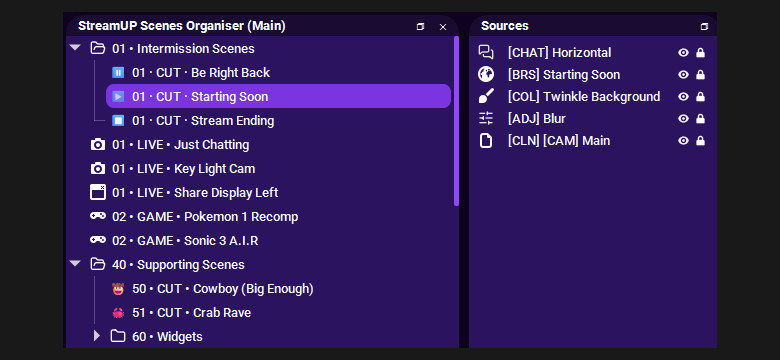
Scenes and sources, with a selection you can actually see.
The downstream keyer and transitions, same spacing, same toolbar.

Built for the StreamUP docks

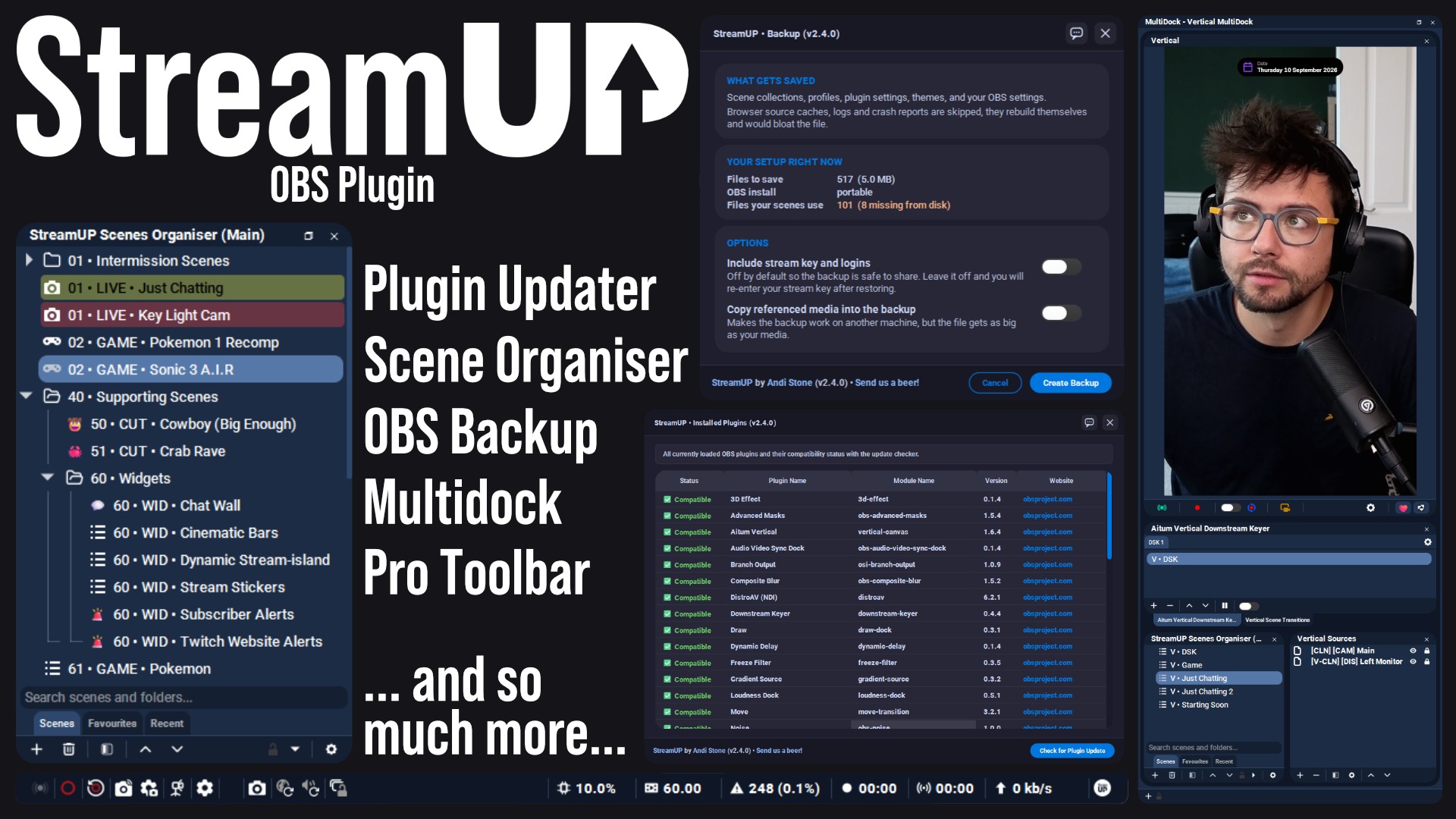
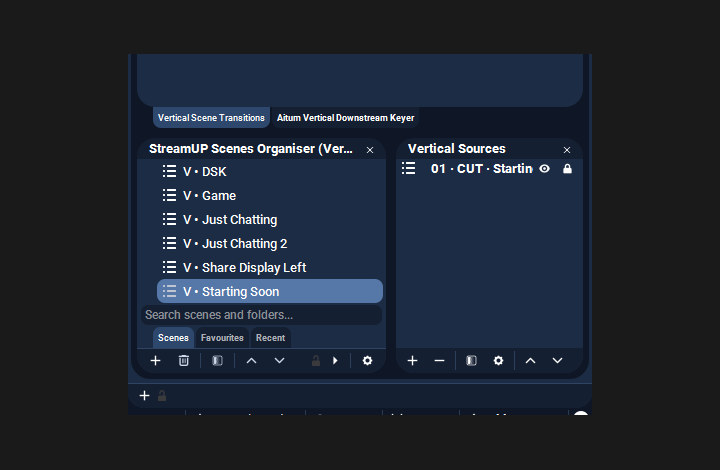
Source Explorer, Scenes Organiser and the MultiDock are styled as part of OBS rather than as guests in it. Tabs, search fields, tag pills and quick-action bars all follow the theme you picked.
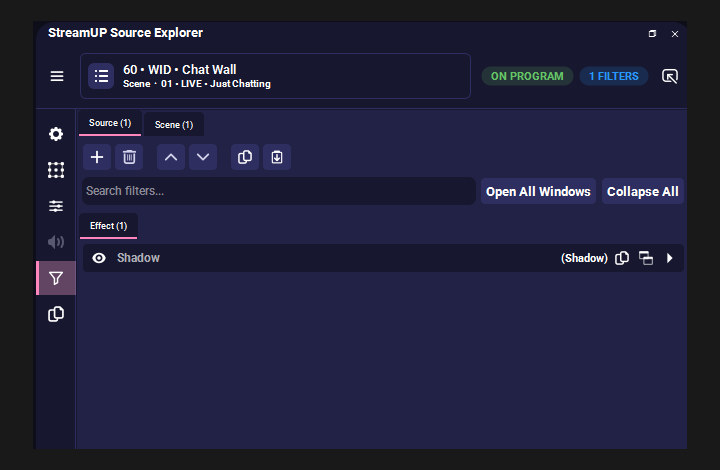
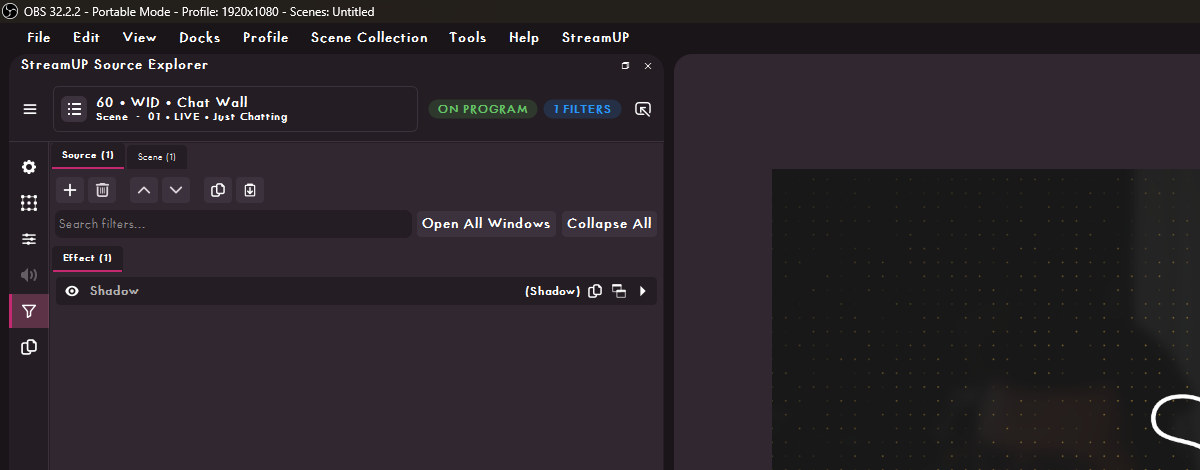
Source Explorer, wearing the same theme as the rest of OBS.
A column of StreamUP docks down the side of OBS.

Down to the title bar

Menus, the title bar and the status line along the bottom are part of the theme too, so there is no strip of stock grey left over at the top or bottom of the window.
The title bar, the menus and the dock headers, all in The CodeWithTD.

Size and spacing, your call

The theme is built on CSS variables, so the base font size and the spacing between controls are settings rather than something baked in. Turn it up on a 4K monitor, turn it down when you want more docks on screen.

History

Patch notes

v0.1.3
  • The Vertical Canvas control row is shaped like the toolbars everywhere else in the theme
  • Its transitions dock gets the same round buttons as the Scene Transitions dock it mirrors
  • Stopped 3 main window rules leaking onto plugin docks and giving every table a dock-sized corner radius
  • MultiDock toolbar padding is horizontal only, so it stops sitting taller than the other docks
v0.1.2
  • The MultiDock body takes the theme's own colours and corner radius, and each .ovt variant supplies its own
v0.1.1
  • Row selection no longer leaves a small rounded block of colour floating to the left of the row
  • Folder chevrons draw in every state instead of vanishing on hover and selection
  • Scene Organiser toolbar height now matches the other docks, and its tab bar rounds at the top
v0.1.0
  • OBS 32.2 coverage: properties, utility text, source icons, YouTube rows, the broadcast button, preview scaling and hotkey labels
  • Full Source Explorer 1.1.0 support, so its rail, identity bar, source tree and filter toolbars are all skinned
  • Scene Organiser and MultiDock styling
  • Support for Source Dock, Media Controls, Transition Table and Source Profiler
  • Fixed the solid box behind rounded menus, list hover reading as selection, and the Advanced Audio monitoring combo losing its text on 32.2
v0.0.3
  • Added The WaldoAndFriends, The Light One, The StreamUP, The Purple Platform and The Red Platform
  • Complete audio mixer redesign, with squircle buttons and vertical layout support
  • Mute is now a darker red with a white icon, monitoring a softer green
  • Studio Mode program container and the stats window are styled
  • Advanced Audio Properties layout fixed, with a compact status column and a wider volume field
  • Source Explorer styling
  • Audio monitoring icons change with the state, via the StreamUP plugin
  • Rebuilt on CSS variables, so size and spacing are adjustable
  • Icons use the theme colour instead of fixed images
  • Tidier toolbars and selection styling across every dock
v0.0.2
  • Public release

Ready to try it?

It installs into OBS and runs there. Nothing to sign into, nothing to keep open alongside it. Questions, ideas or something not working? We are in the Discord.

More for OBS

The rest of the family

Everything else we build for OBS Studio. Each one its own download, with its own page.

DISCLAIMER

By downloading this product you agree to not redistribute AND/OR sell it for any profit whatsoever. Feel free to completely edit this product and change it for your needs. We do not offer support on any modifications.

Last updated: 20 September 2026